


Updating Visual Paradigm Academic Partnership [Obsolete]
| This article is out-dated. Please refer to Renew Product Subscription for Academic Partners for details about how to update Visual Paradigm Academic Partnership. |
Visual Paradigm Academic Partner Program offers academic licenses for students to use Visual Paradigm products in their homework and assignments. Partnerships are valid for a year. Partners can extend the partnership, upgrade the partnership or subscribe more products in the Customer Service Center. In this page, you will see how to update the partnership.
- Visit: https://cs.visual-paradigm.com/academic_partner_index.jsp.
- Enter your account ID and password. Click Login button.

Login customer service center
- Open the Partnershippage.

Open Partnership tab
- For step 1, choose your action. If you just want to subscribe more/less products, keep Upgrade my partnership / Update product subscription selected.
- For step 2, choose the type of partnership. Just leave it unchanged if you do not want to upgrade to a higher partner type.
- Check the product(s) you need, otherwise, uncheck it/them. If you just want to extend the current partnership to a long period of time, just keep all the currently subscribed products selected.
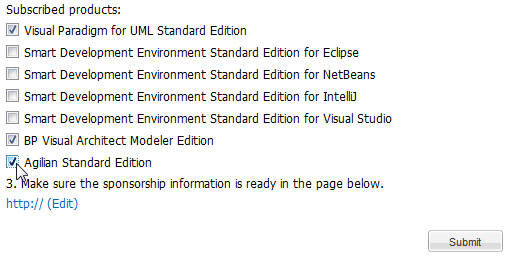
Check subscribed product
- If you have updated the product subscription in the previous step, click Editbutton.

Press Edit button
- Copy the new HTML code.
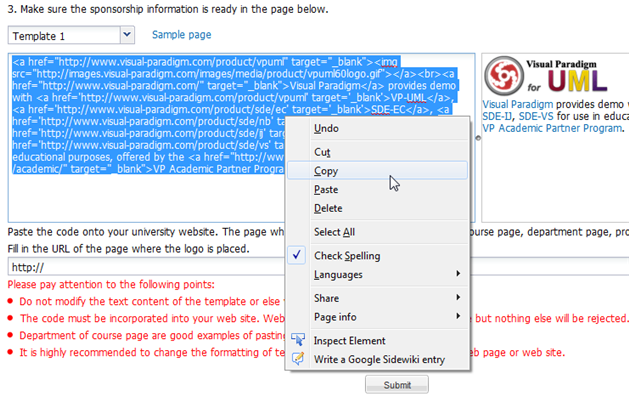
Copy the HTML code
- Replace the old HTML code on your website with the copied code. Here are two samples for your reference:
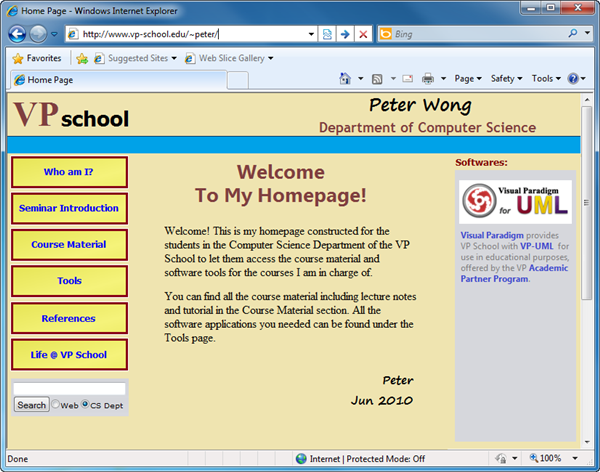
Sample 1
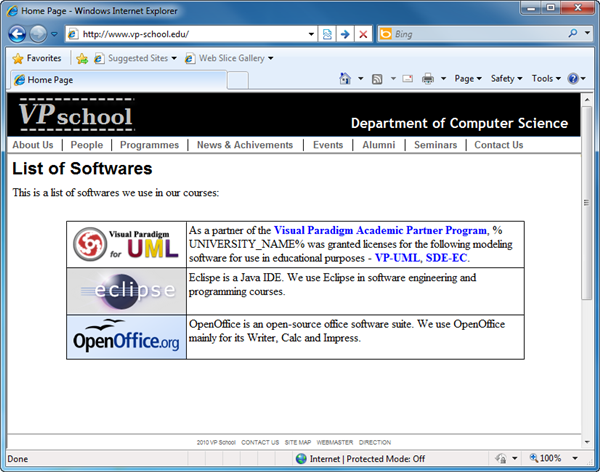
Sample 2
- Fill in the URL that contains the sponsor information. If the URL is the same as before, just leave it as it is.
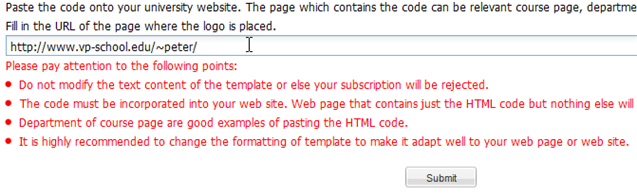
Paste URL
- Click Submit button. Visual Paradigm will start reviewing your request. This usually takes two to three working days approximately. You will receive a notification through E-mail once your request is accepted or even it is rejected. In addition, you may login to your academic account to check the progress from time to time.
- If you are subscribing for bronze partnership, skip this step. For silver and gold partner subscription, after the URL submission is accepted, you will receive an E-mail with a quotation file attached in it. Follow the instruction written in the quotation file to settle the payment. Visual Paradigm will process your payment as soon as possible.
- Once your request has been accepted, login to your academic account. You can copy the activation code of the subscribed product(s), listed in the Licenses page. After that, you can paste the code to the subscribed product to activate it.

Copy activation code


Leave a Reply
Want to join the discussion?Feel free to contribute!