


Using Alternative Combined Fragments in Sequence Diagram
The alternative combined fragment is utilized in a sequence diagram to define a section of a cluster of lifelines/actors, representing conditional flow. It also models if-then-else logic in the sequence diagram. This article will exhibit the process of creating a basic sequence diagram using an alternative combined fragment.
- Create a sequence diagram as follows:
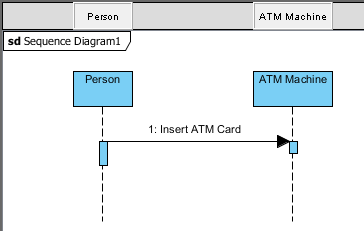
Sequence diagram
- Select Alt. Combined Fragment in the diagram toolbar. Press on the blank area of the diagram and drag to cover the Person and ATM Machine lifeline.
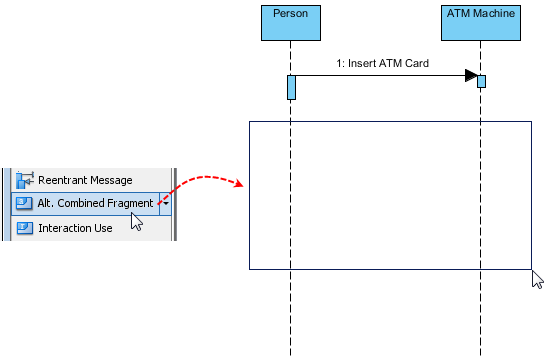
Create an alternative combined fragment
- Draw a message from ATM Machine lifeline to Person lifeline in the upper compartment of the alternative combined fragment. Name it as Ask for password. Draw another message from ATM Machine lifeline to Person lifeline in the lower compartment of the alternative combined fragment afterwards. Name it as Display invalid card.
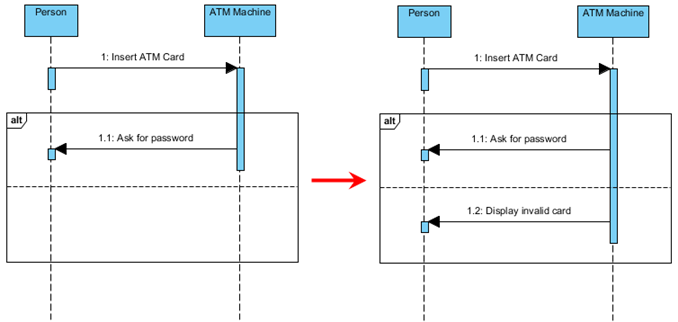
Draw two messages in an alternative combined fragment
- Right-click on the combined fragment and select Open Specification… from the pop-up menu to open the Combined Fragment Specification dialog box.
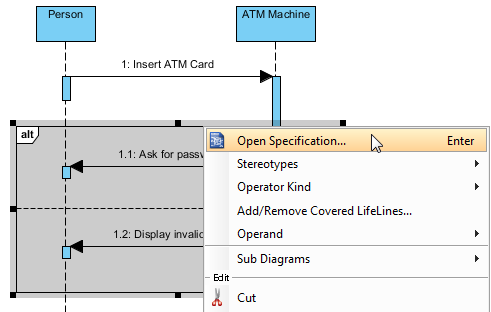
Open Specification
- When the Combined Fragments Specification window appears, open the Interaction Operands tab, select Operand, and then click Open Specification… button. In the Interaction Operand Specification dialog box, open the Guard tab and enter Valid card in Constraint text field. Click OK button to confirm the changes.
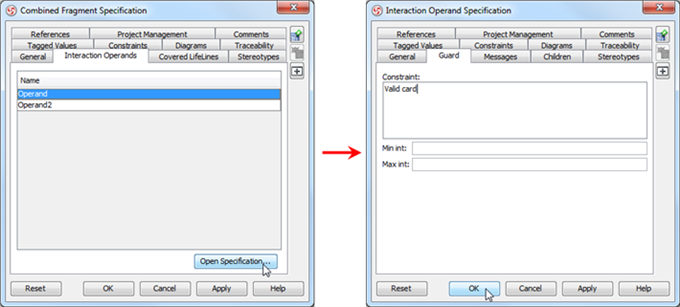
Enter Valid card for Operand
- Similarly, enter Invalid card in Constraint text field for Operand2by following the previous step.
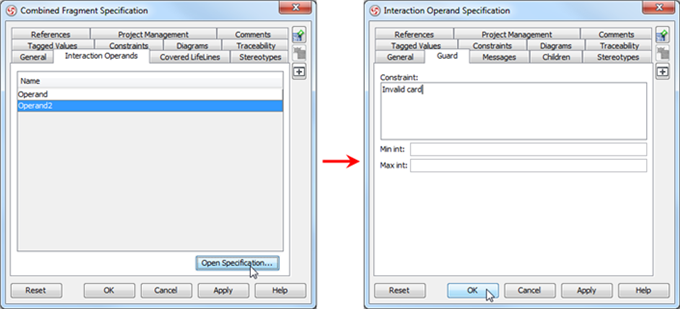
Enter Invalid card for Operand2
- Guard conditions are displayed in the alternative combined fragment as shown below:
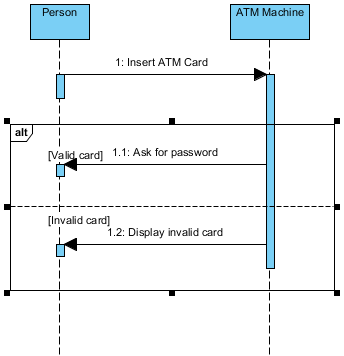
Guard conditions are displayed
How to try the sample
Download ATM machine and then unzip it to get the .vpp file.


Best regards.
This is nice