

Listing Entity Column’s Details in Table
Visual Paradigm support model database schema with Entity Relationship Diagram (ERD). In this article we will create custom template to output all columns in entity in tabular form. To do this:

Visual Paradigm support model database schema with Entity Relationship Diagram (ERD). In this article we will create custom template to output all columns in entity in tabular form. To do this:
In my Visual Paradigm Desktop Client the workspace ID being disabled and I cannot change to another workspace.
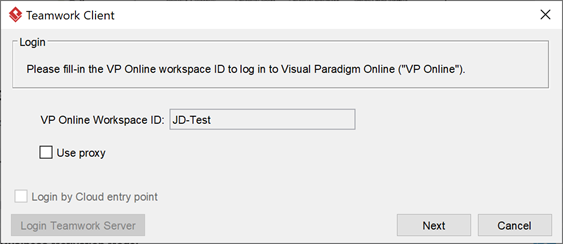
Workspace field being disabled for making change
By default in ArchiMate Diagram the caption for interface type elements (i.e. Business Interface, Application Interface, Technology Interface) will have its caption hide away. This is aimed to make the diagrams looks clean and tidy. You can turn on the display of caption individual interface type in your active editing diagram via the Presentation Options menu, or using this plugin to turn on the display of caption for all interface types in all your ArchiMate diagram.
Some Mac users may experience problem on unable to enter non-English characters into VP Online diagram in Visual Paradigm desktop application. To solve this problem:
One of the feature for the on-premises VP Server is use as the update source for the VP Client to perform software update. This help to make sure all users within the company using the same build of Visual Paradigm’s application. During setup of update mechanism VP Server will check any available update of VP application over Internet. This article teach user how to configure the proxy server for their VP Server so that they can check for software update from Visual Paradigm’s website. To configure proxy server for VP Server:
Visual Paradigm command line interface allow users to operate various Visual Paradigm’s functionalities without initiate the graphical user interface. Upon finish it will store the execution status into system’s exit code. User creating automated procedures can use the exit code to determine the next step to proceed. Below is the meaning of exit code returned by Visual Paradigm’s command line interface.
Visual Paradigm’s floating license environment allow teams running in mixed editions of Visual Paradigm. User can launch Visual Paradigm in specific edition according to the availability of license in license server. To do this:
In Visual Paradigm you can specify the default size of the task & sub-process element created in your business process diagram. To specify the default size of task & sub-process:
The ETL Table in Visual Paradigm is a powerful tool which allows you to perform query on your models. It not just allows you to find out the models based using its name or specific text in documentation, but allows you to lookup the models based on the values of its specific properties. In this article we demonstrate how to find out the model elements which having specific stereotype being assigned.
The migration procedure provides a way for user to move data from one server to another one. This is helpful under the following situation:
To perform server migration:
