How to Re-use Business Process Modeled in Another Project
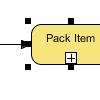 When you are modeling business processes with business process diagrams, you may find that although the business processes are different and yield different goals, many of them are indeed sharing the same set of workflow. For example, both the process of ordering and returning goods share the same packaging and delivery processes. These common workflow share the same behaviors and activities, so it is wise to “draw once and re-use everywhere”, not just to save time, but to ensure the consistency of business process by keeping one and only one copy of unique workflow. Business Process Model and Notation (BPMN) supports grouping related process flow to sub-process. With BPMN sub-process, you can easily re-use the common process flows in different business processes by incorporating the sub-process shape, which contains the common workflows, into those business process diagrams.
 The
The  The
The 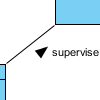 In UML (Unified Modeling Language), an association can be used to represent that two classifiers which are related with each other. On any binary association, you may optionally put a solid triangular arrowhead near the name of the association to define the way the association should be read. In this article, we will see how to show the triangular arrowhead on an association in
 When your team is composed of people with different roles and authorities, you may want to have control over their actions in the modeling tool, to prevent them from making undesired changes. For example, while it is reasonable for a software architect to build class models, it is not reasonable for him to restructure any model developed, through the refactor feature. With VP Server, administrator is allowed configure the access rights of features for members or member groups. For example, by turning off the “