

Unable to import project to Teamwork Server / VP Online
When trying to import your existing project to Teamwork Server / VP Online receive the following error.
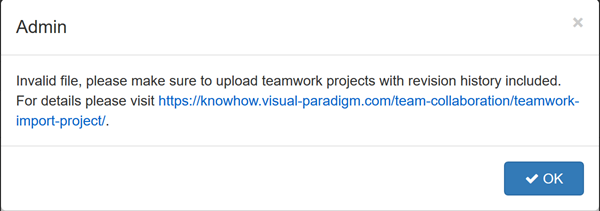
Error when try to import project to repository

When trying to import your existing project to Teamwork Server / VP Online receive the following error.
Error when try to import project to repository
Visual Paradigm Online support visualize spread data into various charts. In this article we will show you how to define maximum value for each discipline in your radar chart.
When trying to access Google Drive to load/save my diagrams in VP Online Diagrams it get stuck on authorization stage…
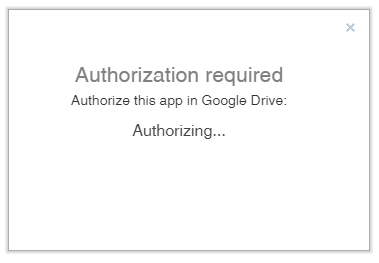
Authorization with Google Drive was getting stuck
Visual Paradigm Online Diagram (VP Online Diagram) is a powerful tool allow users team collaborate together to create different diagrams online using web browser. VP Online Diagram provide wide range of resources for user to create diagrams. Beside the bundled resources user can also import Visio Stencils to become their own custom palette. In this article we will show you how to import Visio Stencils to create diagram palette. To create your own palette:
Visual Paradigm Online Diagram (VP Online Diagram) is a powerful tool allow users team collaborate together to create different diagrams online using web browser. VP Online Diagram provide wide range of resources for user to create diagrams. Beside the bundled resources user can also import image files to become their own custom palette. In this article we will show you how to import image files to create diagram palette. To create your own palette:
Visual Paradigm Project Viewer (VP Viewer) is a free application which allow user to browse the content of your projects without the need of purchase any license key. For large organization you can setup viewer users in your repository so that they can browser your projects without afraid that they will get modified. In this article we will show you how to create viewer users in your VP Online workspace and how the viewer users can access to your projects.
To remove the Story Map from your project:
If you experience the following problem when signup to VP Online..
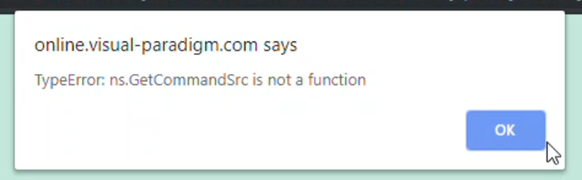
Received error when signup VP Online
There are several services in Visual Paradigm Desktop client require to connect to Visual Paradigm’s server on Internet, including
Some users may experience problem that their VP Desktop client unable to connect to Visual Paradigm’s server even they do have Internet access. If you see the SSL handshape exception in your Visual Paradigm desktop client’s log file then the problem very likely to be caused by there is a proxy (could be a transparent one) in your network blocking the resolve of SSL certificate thus lead to fail to connect to our server. To solve this problem:
In my Visual Paradigm Desktop Client the workspace ID being disabled and I cannot change to another workspace.
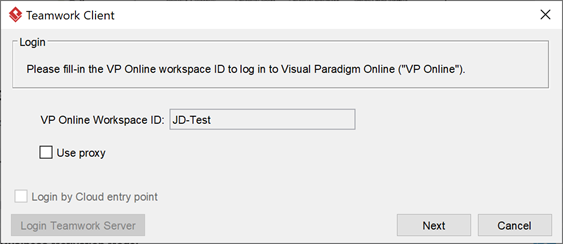
Workspace field being disabled for making change
