How to Setup Publication Server as System Service on Mac
By setup Publication Server as system service it will automatically starts when the machine boots. In this article you will learn how to setup the Publication Server as System Service on Mac.
As of Visual Paradigm version 17.2, you can create and share your own project templates with your team. This allows team members to easily create new projects that conform to your team’s standards. This article will guide you through the process of creating a project template for your team.
As of Visual Paradigm version 17.0, you can create and share your own project templates with your team. This allows team members to easily create new projects that conform to your team’s standards. This article will guide you through the process of creating a project template for your team.
This problem is caused by user trying to create project using the template saved in user’s team repository. Unfortunately the key content cannot be found in the downloaded template. Possible reason is the template is uploaded in zip format but not create with correct structure.
Doc. Composer can let you output every details of your models and diagrams in fully customizable way. In this article you will learn how to create custom template to output the comments of diagrams or model elements in a project.
Doc. Composer provides an extremely flexible way for user to customize about how their diagram and model data being render. In this article will demonstrate how to create custom template to output the image of an elements in diagram with its description in tabular form. Let’s start!
Diagrams marked with “Powered by VP Online Web Diagram Technologies” are directly edit and stored in the server repository. If you see this message it means the project you working on is not stored/managed by the server repository your VP application now connecting, therefore VP application cannot load the diagram content for you.
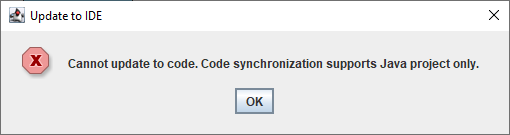
You may receive complain that your Eclipse project is not a Java project when perform code generation/reverse engineering with Eclipse 2024-09 integration.
To solve this problem:
Visual Paradigm version 17.2 introduced a change request approval process for users to make change to their models in a more systematic and governed manner. In this article you will learn how this process works. Read more
VP Online (formerly called VPository) is a cloud platform provided by Visual Paradigm. For user with VP Online license they can use web based diagram editor to create various diagrams. For user with VP Desktop license they can use VP Online as their project repository for team collaboration development. When VP Desktop user using VP Online as project repository some of the diagrams will be auto-synchronized between VP Desktop and VP Online, while some of them are accessible only in VP Desktop and will send to VP Online as a revision upon commit his work (change history). Read more