


How to Add Custom Fields to Use Case Details?
Properties or tags are used to keep information about use case and can be viewed in Use Case Details. In there, you will see a number of fields such as level, complexity and author that are provided by default. In VP-UML, if you need to store additional information in use case details, you can create custom fields to do that.
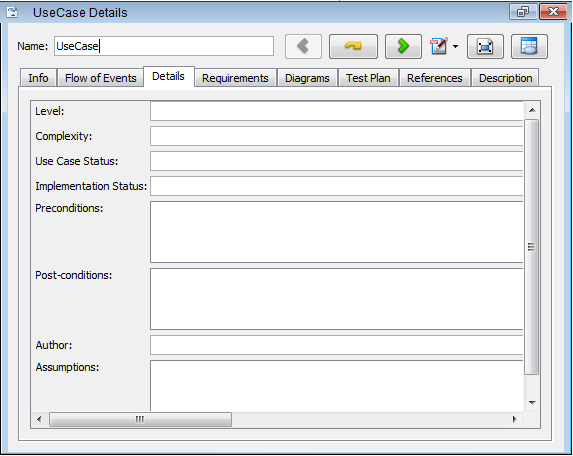
UseCase Details
Let’s create a Risk field as an example in the following steps:
- Right click on any use case and select Stereotypes > Stereotypes… from the pop-up menu.
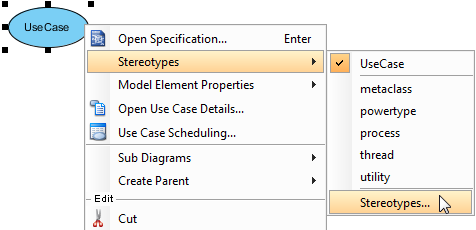
Select Stereotypes…
- When the Use Case Specification window opens, click the Edit Stereotypes… button under the Stereotypes tab.
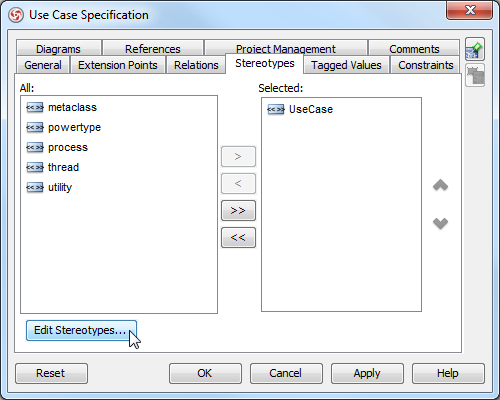
Click Edit Stereotypes… button
- In the Configure Stereotypes window, select UseCase stereotype and then click the Edit… button.
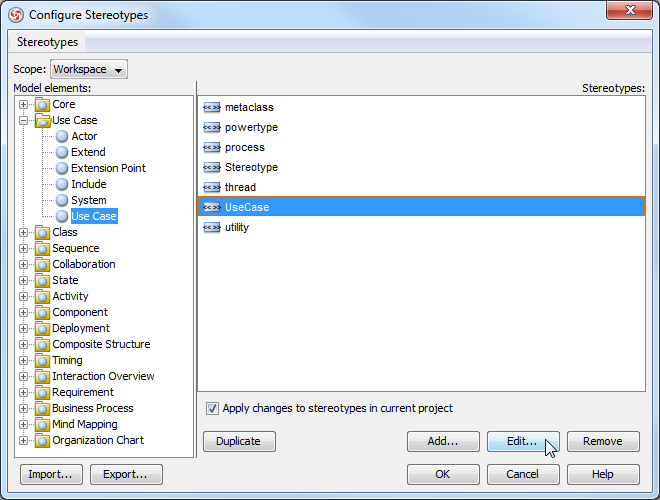
Click Edit… button
- When the Stereotype Specification window opens, click the Tagged Value Definitions tab. Press the Add button to select Text Tag from the pop-up menu.
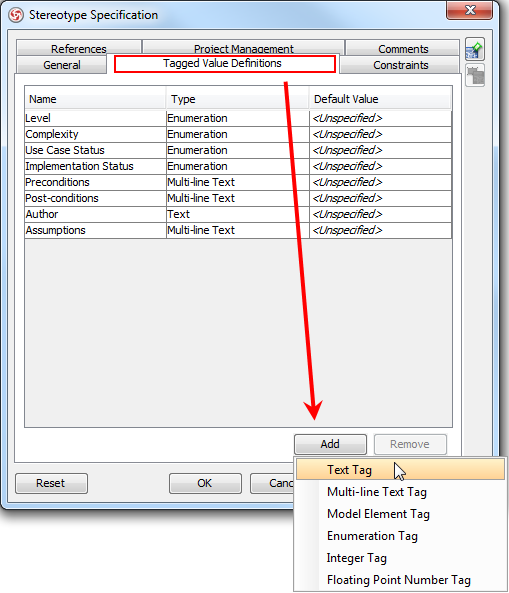
Select Text Tag after opening Tagged Value Definitions tab
- A new tag appears in the last row on the list under the Tagged Value Definitions tab. Note that the tag list determines the fields in use case details. Double click on it to rename the new tag Risk in the Name column. Click OK to proceed.
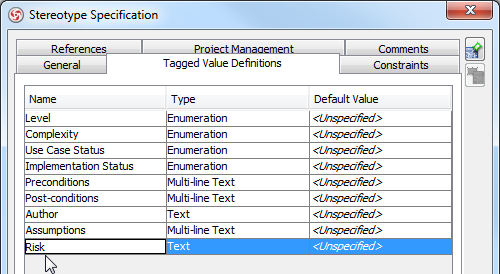
Rename as Risk
- Click OK in the Configure Stereotypes window.
- When a pop-up dialog box asks you to confirm the changes, click Yes to proceed.
- Right click on any use case and select Open Use Case Details… from the pop-up menu.
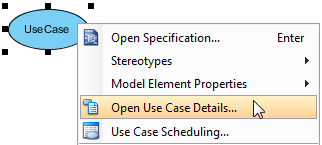
Click Open Use Case Details…
- When it switches to Use Case Details page, you can see the newly created field, Risk, under the Details tab.
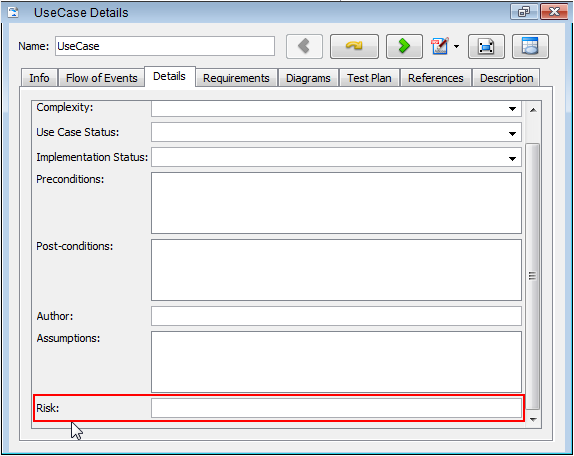
Risk field is added


Leave a Reply
Want to join the discussion?Feel free to contribute!