How to Change the Default Port for Local Embedded Server

The Visual Paradigm Local Embedded Server enables users to access server-dependent features in their Visual Paradigm desktop application without requiring team collaboration support or an internet connection. By default, the Visual Paradigm desktop application runs the local embedded server on port 2000. If this port conflicts with other services, users can follow the steps below to modify the default embedded server port.
Read more

Centralized Plugin Deployment using VP Online or Teamwork Server

As of Visual Paradigm version 17.0, you can utilize VP Online or Teamwork Server as your plugin repository. This enables team members to install the plugin directly from your repository. This article will guide you through the process of making your plugin available to your team.

Read more

How to Create Your Own Project Templates (prior to v17.2 build 20241101)

As of Visual Paradigm version 17.0, you can create and share your own project templates with your team. This allows team members to easily create new projects that conform to your team’s standards. This article will guide you through the process of creating a project template for your team.

Read more

Unable to perform C++/C# Instant Reverse on Mac OS

For some reason user may experience problem on perform C++ or C# Instant Reverse on Mac OS even you already checked the existence of the temporary output file, and make sure the vp_windows folder mentioned in error dialog got sufficient permission. To solve this problem:

Read more

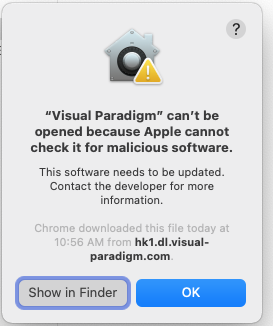
Visual Paradigm being complained malicious software by macOS

Some user may experience problem that Visual Paradigm application being complained as malicious software when trying to run it on macOS.

Visual Paradigm being complain as malicious software

Read more

Specification Dialog Hang on macOS Big Sur

On macOS 11 Big Sur open the diagram or model specification dialog may cause the application hang. The root cause is the Big Sur changed some behaviour on handling of non-modal dialog when application is run in full screen mode and this change affect most of the Java applications including Visual Paradigm. The following patch build solved this problem by turning the specification dialog to become modal by default.

Read more

Setup VP Server System Service on MS Windows

By setup VP Server as system service it will automatically starts when the machine boots. This avoid the VP Server need to manually start by user before using it. In this article we will show you how to setup the VP Server as Windows system service.

Read more

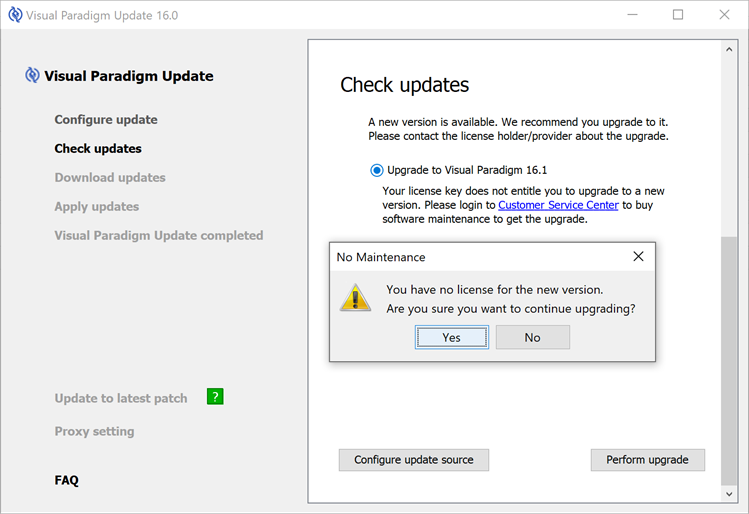
Unable to upgrade Visual Paradigm to new version

I do have a valid license but being prompted I’m not entitle to upgrade to newer version:

Visual Paradigm Update complain user not entitle to run new version

Visual Paradigm Update complain user not entitle to run new version

Read more

Configure VP Server Update Module only provide update on specific build

tomcat-thumbVP Server providing the update server module which helps to host the product update. The update module will constantly check for update from Visual Paradigm’s download site.  By configure user’s Visual Paradigm client performing update via the update server, the colleagues are guarantee to be running the product on the same build. But for some company they want their colleague run on a fixed build rather than the latest one, you can then follow the procedure below to configure the update server only provide update on specific build number of Visual Paradigm. Read more
