


Get Version Upgrades for Your Visual Paradigm Product
Keeping your Visual Paradigm product upgraded means keeping your work up-to-date, because every new version brings tons of powerful features — including AI-powered capabilities — all designed to boost your productivity and the quality of your work.
To keep your Visual Paradigm product up-to-date, ensure your software maintenance contract is active. During the software maintenance period, you can upgrade to the latest versions at no additional cost, regardless of how many releases occur. Active maintenance is also required to continue using any AI-powered features, as they involve ongoing running costs. Note that renewing active maintenance is cheaper than reinstating expired maintenance.
Extending or purchasing software maintenance can be done in the Customer Service Center. This article will guide you on how to renew your maintenance step by step.
- After login to the Customer Service Center (https://cs.visual-paradigm.com/), click Maintenance tab at the top of the page.
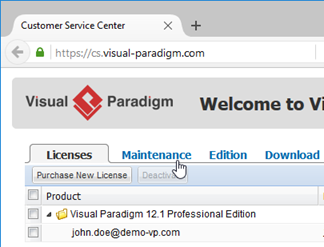
Select Maintenance tab after login to Customer Service Center
- The license information and the maintenance expiry date will be shown under the Maintenance section.
- Select the period of maintenance you want to renew (1 year is the minimum while 3 years is the maximum). Subsequently, the calculated price will be shown on the right hand side.
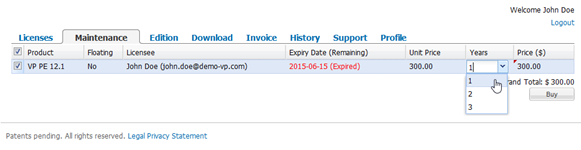
Select the period of maintenance
- After selecting the period of maintenance of your product, press the Buy button to proceed.
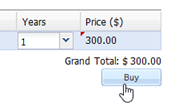
Press Buy button
- After that you will redirect to Visual Paradigm’s online shop.
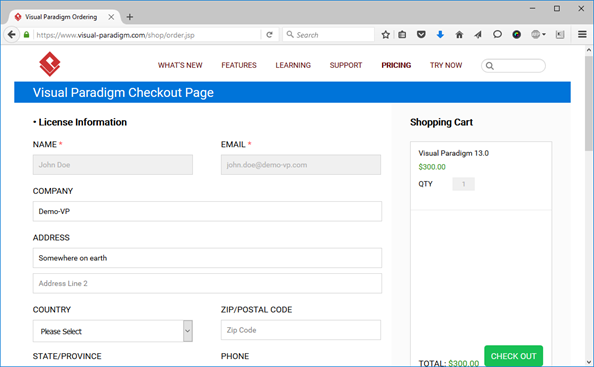
Redirect to Visual Paradigm online shop
- Scroll down the page to select your preferred payment gateway. Press CHECK OUT to proceed checkout and you will redirect to your selected payment gateway for making payment.
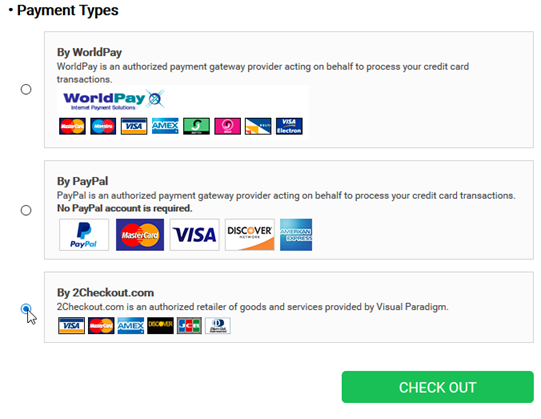
Select payment and checkout
- Once you completed the payment process in payment gateway you will redirect back to Visual Paradigm online shop.
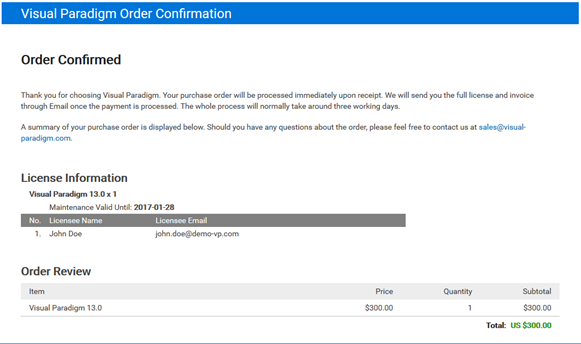
Order confirmed
For single seat license user the maintenance status will be upgraded immediately, and the new version license key will ready for you at the same time. For floating license user the your maintenance period will be extended and new version license key will be ready in your account once the payment has been confirmed. Normally it take less then 2 working days.
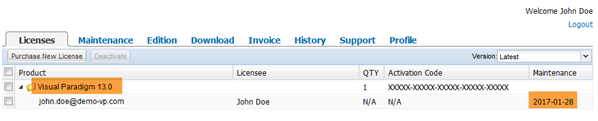
Maintenance extension and new version license key immediately available for single seat license users


Leave a Reply
Want to join the discussion?Feel free to contribute!