How to rename your team collaboration project in VP Desktop
In VP Desktop you can rename your team collaboration project (either in VP Online or on-premises Teamwork Server) in the following way. Read more

In VP Desktop you can rename your team collaboration project (either in VP Online or on-premises Teamwork Server) in the following way. Read more
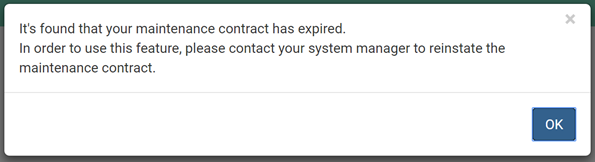
When trying to access to web interface of VPository the following error was shown.
 VP Online is pure web based platform allow you to do modeling with different diagrams, and perform software development activities such as capturing requirements, model customer’s experience with customer journey map, develop and prioritize development schedule with Agile scrum process, and management the progress of your project with the task management tool. All just using your browser. The diagrams you created can be share with your teammates for review or even further modifications or team collaboration development.
To let your teammates access your diagrams: Read more
Visual Paradigm Online (VP Online) is a pure web based platform provide modeling and project management support. It comes with different editions covering different set of features. By default when you evaluate VP Online it will be in the Premium Edition which cover all the features. In case you would like to try out the lower editions you can follow the steps below to make the change: Read more
Visual Paradigm Online (VP Online) is a unified online platform contain numbers of power tool, include modeling of customer journey, perform agile development with Scrum process, management your development process with the built-in task management platform, and drawing various kind of diagrams (UML, BPMN, ArchiMate, ERD, AWS, Azure, etc…) to model your system. VP Online support import drawing from external tools such as draw.io. To import drawings from draw.io: Read more