


How to Find Out Your Workspace ID
The Visual Paradigm Online workspace ID is a unique identifier assigned to your VP Online workspace, used to connect Visual Paradigm Desktop with your online repository. If you already joined to Visual Paradigm Online, either signup by yourself, or invited by your team members, you can use the following way to locate the ID of your workspace.
If you are the owner of the workspace
- You can login to your Visual Paradigm Online workspace using web browser.
- Press on your avatar at the top right and select Administration from popup menu.
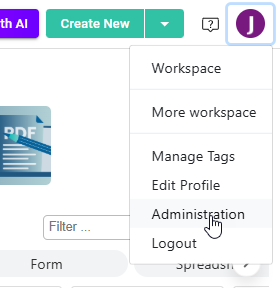
Access to admin portal of the workspace
- Locate your workspace ID under System Tools > System.
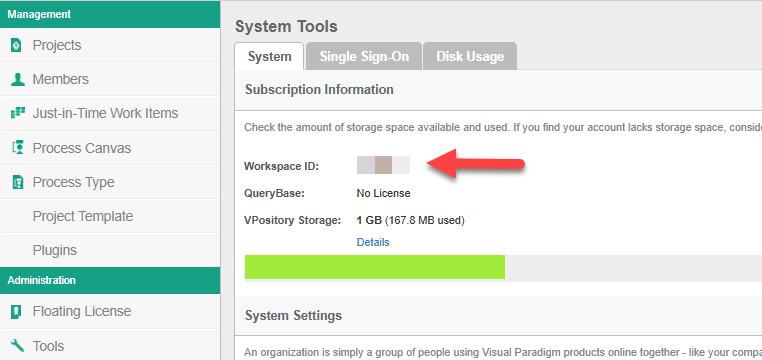
Local workspace ID form workspace admin portal
If you are being invited by your team members
If you are being invited to join Visual Paradigm Online then you can found the ID of your workspace in the invitation email.
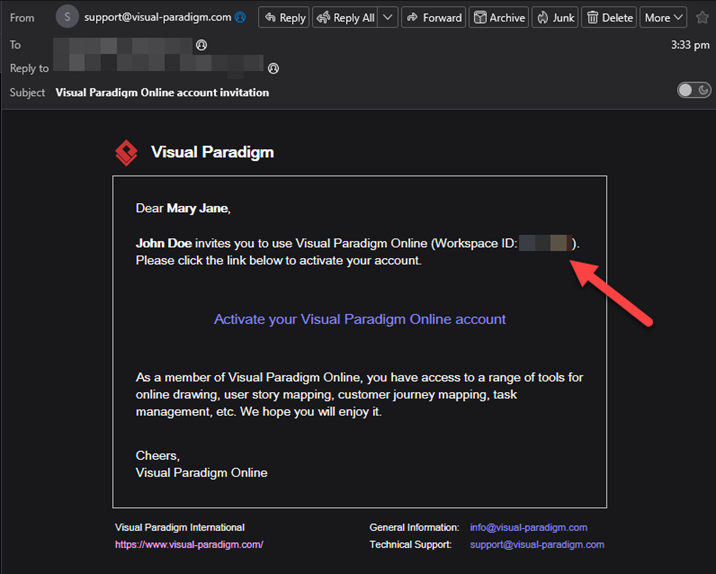
Local workspace ID from invitation email
Related Know-how |
Related Links |

Leave a Reply
Want to join the discussion?Feel free to contribute!