
How to Report Bug on Teamwork Operation
When you are using Visual Paradigm Teamwork Server (Teamwork Server) or VPository and find a problem, feel free to contact Visual Paradigm to seek for assistance. Remember, the more information you give us, the easier and faster for us to identify the problem, fix the problem and provide a proper solution. In most cases, the steps to produce problem, the log file and a screenshot illustrating the problem are sufficient for us to identify problem. It would be even more effective if you can send us the local project, server revisions as well as the server database (for Teamwork Server) so that we can reproduce and fix the problem accordingly. Read more
 VP Server is a server application which included the
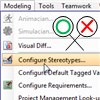 When your team is composed of people with different roles and authorities, you may want to have control over their actions in the modeling tool, to prevent them from making undesired changes. For example, while it is reasonable for a software architect to build class models, it is not reasonable for him to restructure any model developed, through the refactor feature. With VP Server, administrator is allowed configure the access rights of features for members or member groups. For example, by turning off the “
 When Visual Paradigm release a new new version, it comes with many new and enhanced features. In order for a project file created in an old version to work smoothly in new version, it has to undergo a conversion process, which involve the checking and patching of project data. The conversion process is a one-off procedure done when you first open the project in new version. It may take a while to complete. So you can imagine if you are working as a team and your team have many, many projects, conversion can be a fairly daunting task.